
Plan Your Next Base with the World Map!
 GAME UPDATE
Your house can now become the starting point for your next great strategy! The new Paper World Map and World Map Poster are functional Housing decorations that give you access to the Base Editor.
Craft a map, place it inside your house, and interact with it to enter a sandbox where you can design, test, save, and share complete bases without spending any resources during a real game.
What Is the World Map?
The Paper World Map and World Map Poster are new interactive items for the Housing system. They may look like ordinary wall decorations, but they hide a much more powerful function: they act as portals to the Base Editor.
Once one has been placed inside your home, simply interact with it to begin planning your future bases.
How to Get One
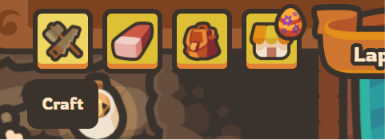
Go to the Craft section inside your house to craft the Paper World Map or World Map Poster. Once crafted, place it in your home like any other piece of furniture.
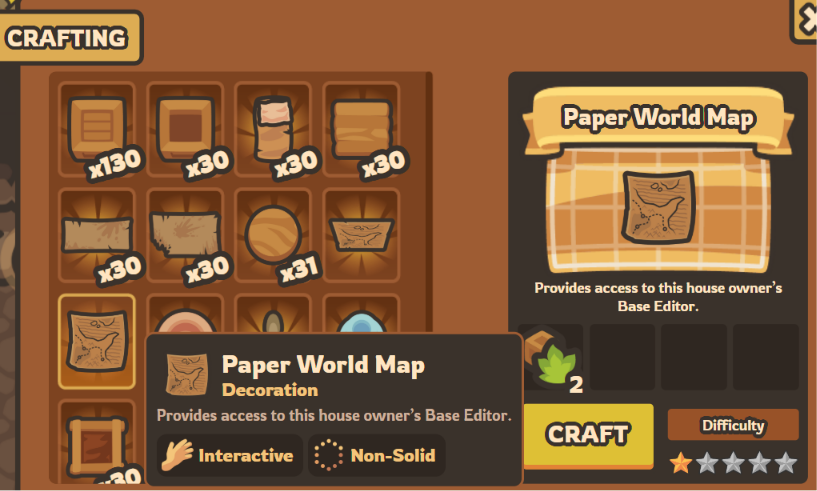
The World Map Poster can also be obtained directly through the Housing Shop, giving you a faster way to unlock the Base Editor if you do not want to gather the required crafting materials.
Enter the Base Editor
The Base Editor is a personal sandbox based on the real Taming.io world map. Inside it, you can freely place and remove buildings without gathering resources, leveling up, or risking your progress in an actual match.
Experiment with walls, towers, traps, resource deposits, Totems, and many other base-related elements until you find the perfect layout.
This makes it much easier to:
- Prepare a strong defensive base before entering a match.
- Test different wall and tower arrangements.
- Plan efficient paths between your buildings.
- Experiment without wasting in-game resources.
Save and Preview Your Bases
Once you are satisfied with your creation, click Save and give your base a name. You can keep multiple designs and prepare different strategies for different situations.
During a real game, type:
/base <base name>
to display a preview of your saved design.
This visual guide helps you position your buildings in the correct places
while constructing the real base.
The preview does not automatically build anything and is only visible to you. When you no longer need it, use the cleaning command to remove it.
Share Your Designs
Your creations do not have to remain private. The Base Editor allows you to export your saved bases and send the files to other players.
Your friends can then import those files into their own Base Editor, allowing teams and clans to prepare shared strategies before playing together.
Invite Friends into Your Base Editor
Visitors can also access the Base Editor connected to your house. Your friends simply need to visit your home and interact with your World Map to join your personal planning area.
This turns the map into much more than a decorative poster: it becomes a meeting point where your team can experiment, discuss layouts, and prepare its next base together.
Plan First, Build Faster
Building a base during a live match can be stressful, especially when enemies are already nearby. With the World Map and Base Editor, you can prepare everything in advance and enter your next game with a clear plan.
Craft your map, hang it inside your house, and start designing the perfect base before the battle even begins.
Your next fortress starts with a single map!
OPEN THE BASE EDITOR
 COMPETITION